01
Request the add-on
Dalia is distributed as a DDEV add-on during the private beta.
Send a request through the contact form and you'll receive a download
link for the ddev-dalia.tar.gz archive.
Private Beta
Five steps from download to your first generation.
Dalia requires two things to work:
Dalia is distributed as a DDEV add-on during the private beta.
Send a request through the contact form and you'll receive a download
link for the ddev-dalia.tar.gz archive.
Once you have the archive, install it into your DDEV project with a single command. Point the path to wherever you saved the downloaded file.
$ ddev add-on get ./ddev-dalia.tar.gz
What changed? The add-on modifies your
.ddev folder (DDEV configuration) and creates files
in .claude (Claude Code commands) and .ai
(AI Task Manager support). Review the .ddev changes
and merge them. For .claude and .ai,
we recommend committing them to your repository so the whole
team shares the same setup — but adding them to
.gitignore works too if your project prefers that.
Restart DDEV to apply the configuration. Then run
ddev describe to see the URL for your Dalia
installation — it's specific to your project.
$ ddev restart
$ ddev describe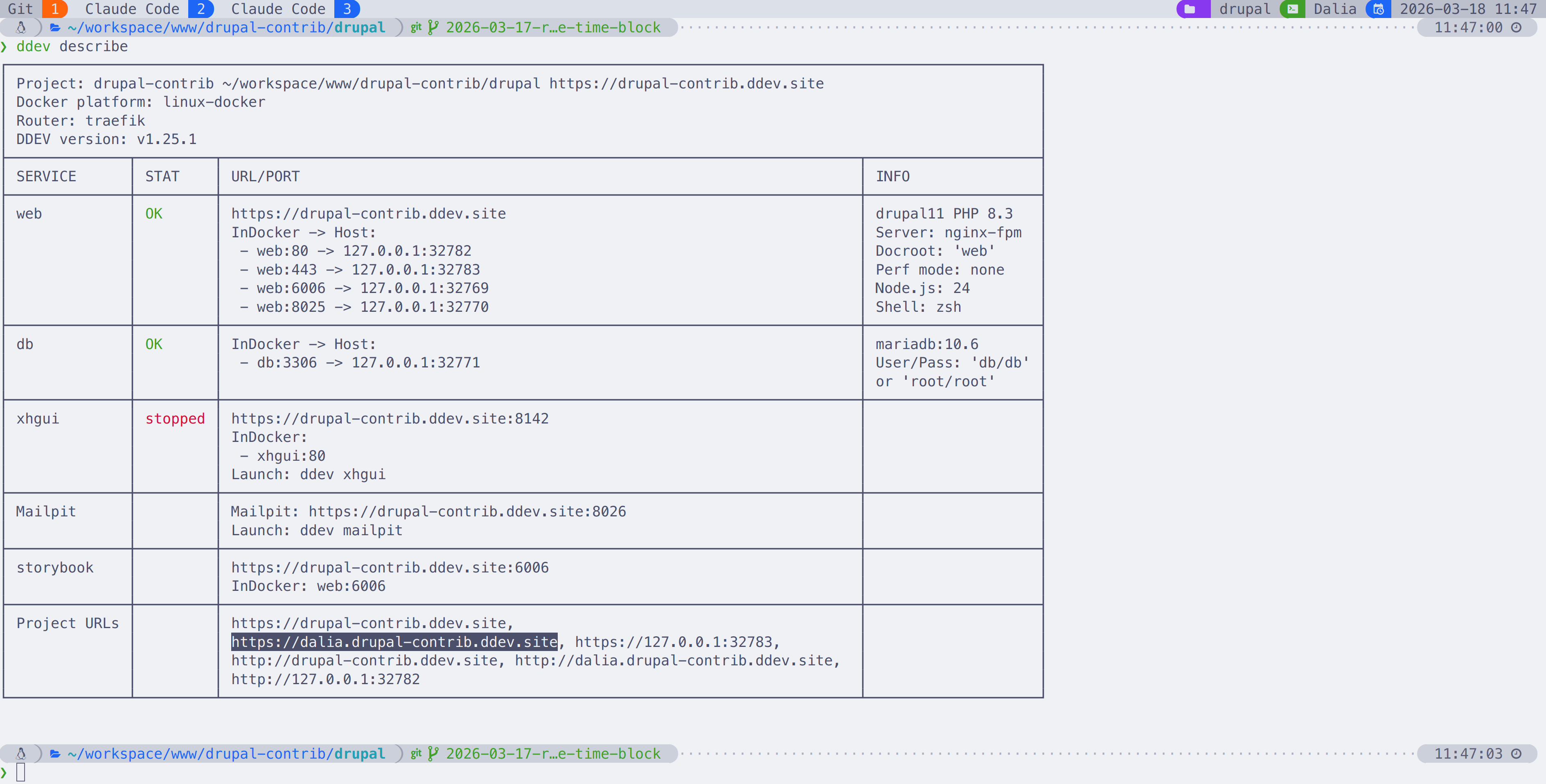
Log in to your Claude account from within DDEV. This uses your existing Claude Code subscription — no additional charges. Once you are logged in, you can safely close Claude Code.
$ ddev exec claudeOpen Dalia in your browser and head to the settings page. You'll verify your environment, choose which Claude model to use for each pipeline stage, and optionally enable RAG for smarter context retrieval. The full walkthrough covers everything.
Configuration Guide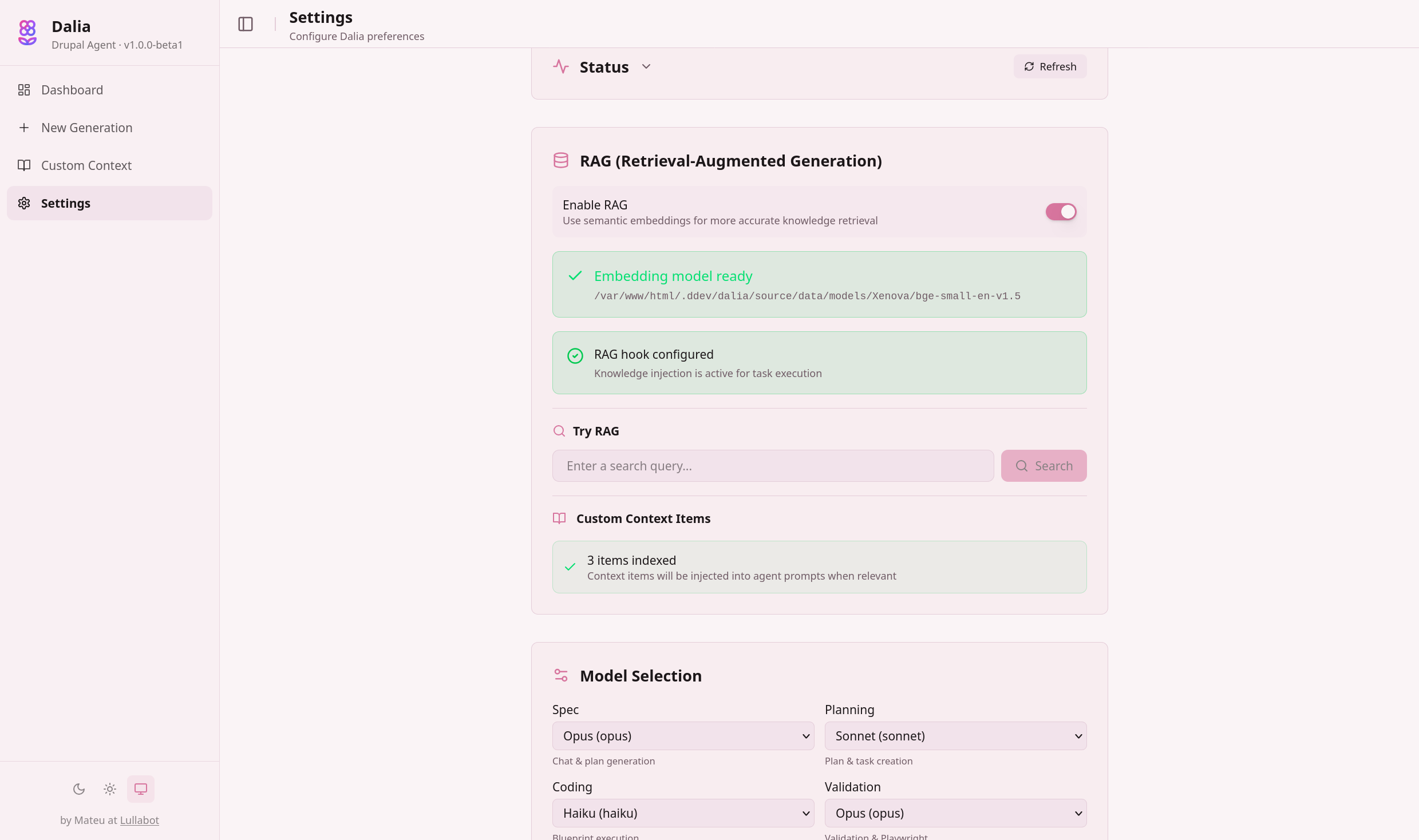
Head back to learn how the six-phase pipeline turns your ideas into production-ready Drupal code.
See How It Works